Projects and schedules
Your P6 schedules, calculated the way P6 does it
Load a P6 file and Primer schedules it with its own engine. It finds the longest path, float and dates the way P6 does, and shows you how closely it matches on every run. Then you can check it, test it and report on it in one place.
Available now Part of this is live today. More arrives with the next release.
What it does
Projects and schedules in Primer
Items marked Coming soon are built and arrive with the next release. Book a demo to see it early.
Bring your schedules in
-
P6 XER, P6 XML and Microsoft Project
Import the files your planners already send. Projects, calendars, codes, resources and baselines come with them.
-
Asta and other formats Coming soon
Read Asta Powerproject and other common planning files.
-
P6 EPPM through its API Coming soon
Pull projects straight from P6 EPPM on a schedule, with no file exports.
-
P6 databases Coming soon
Read P6 databases directly: Oracle, SQL Server and P6 Professional SQLite.
A scheduling engine you can trust
-
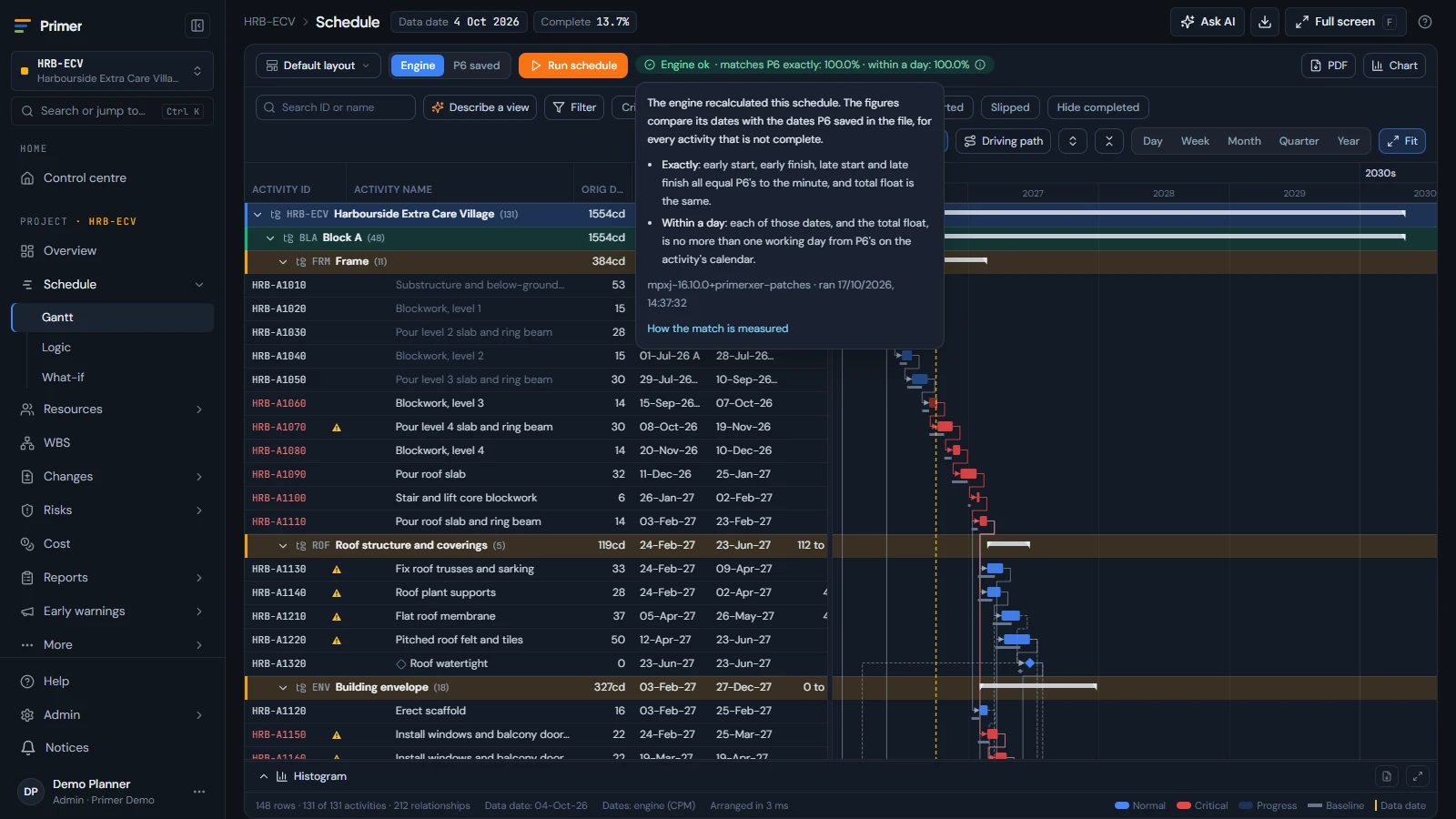
Calculates like P6
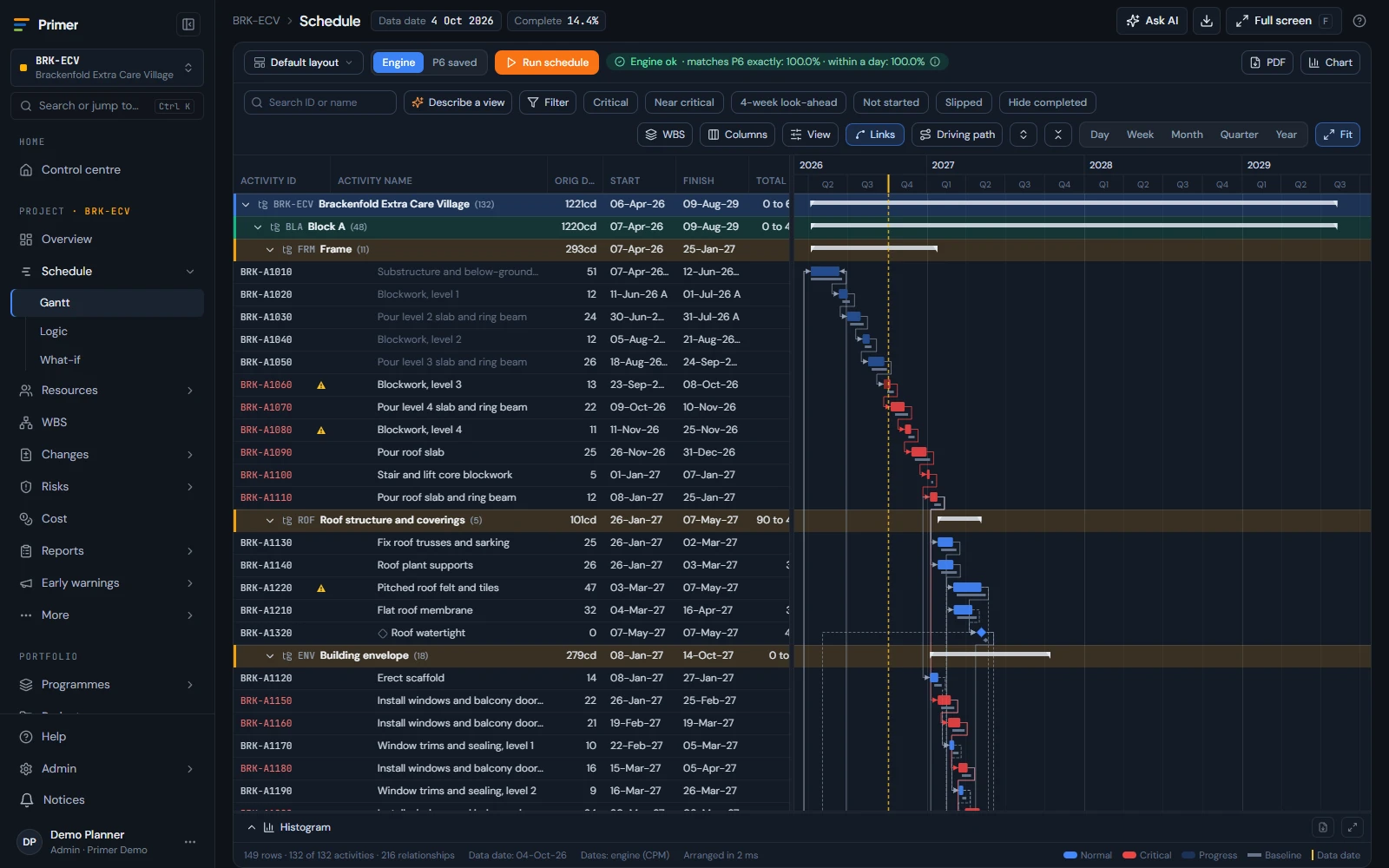
Longest path, total and free float, calendars with breaks, resource dependent activities and linked projects scheduled together.
-
The match to P6 on every run
Each run shows how many activities match P6 dates, so nobody has to take the numbers on trust.
-
Fast on big programmes
Tested on real schedules: a 31,879 activity programme scheduled in about a minute.
Work with the plan
-
A Gantt built for 30,000+ activities
Layouts (including P6 .plf files), grouping, filters and a logic view that stays quick at full size.
-
Baselines, snapshots and what changed
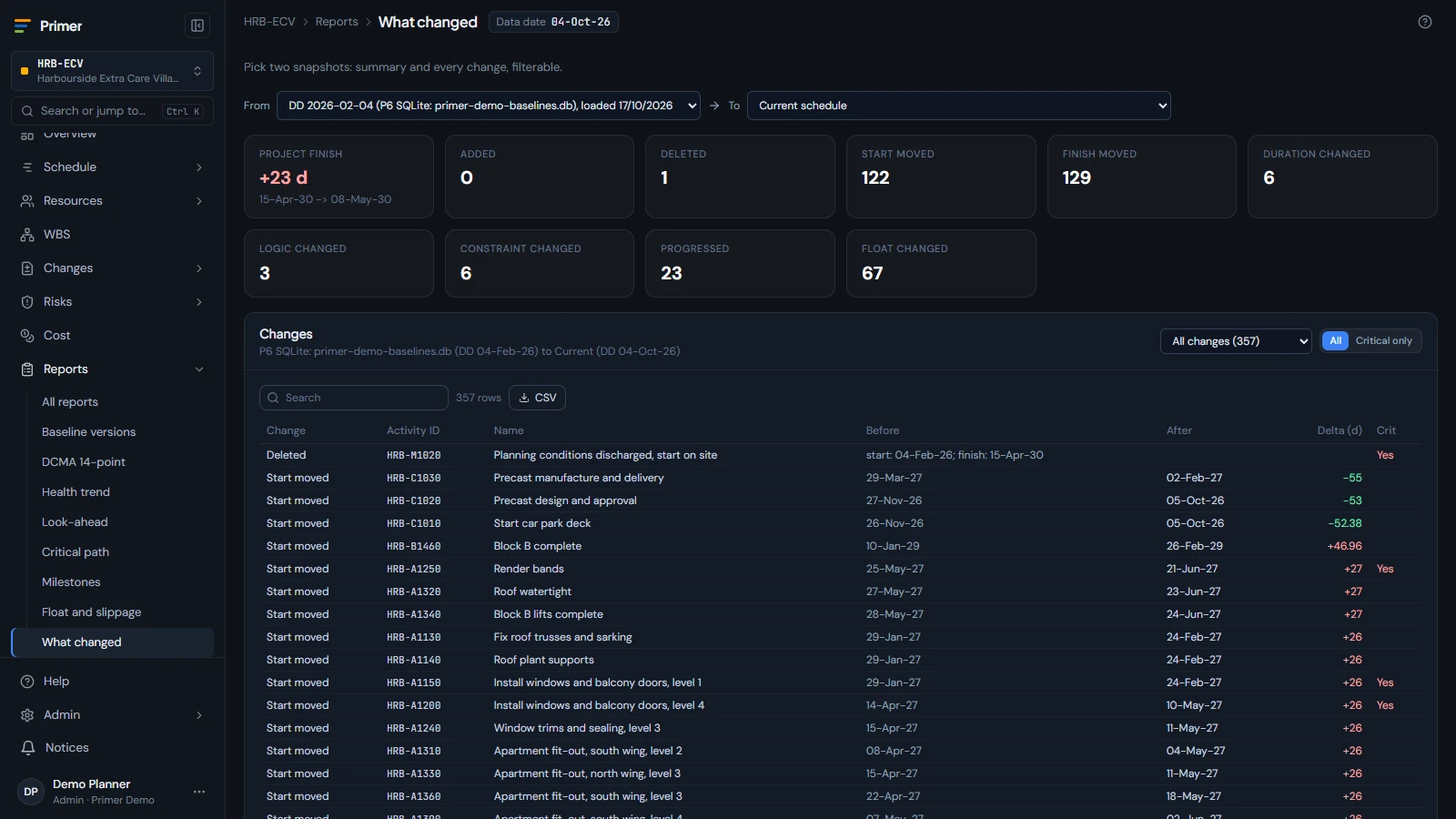
Keep baselines from any update, compare two updates and see why the finish date moved.
-
What-if scenarios
Try a change on a copy of the programme and see the effect on the dates before anyone commits.
-
Recovery options and levelling Coming soon
Get suggested ways to recover a late finish, and level resources across the programme.
-
WBS view and portfolio roadmap
See the work breakdown structure and every project on one roadmap.
Reports people read
-
The standard planning reports
Critical path, look-ahead, milestones, float and slippage.
-
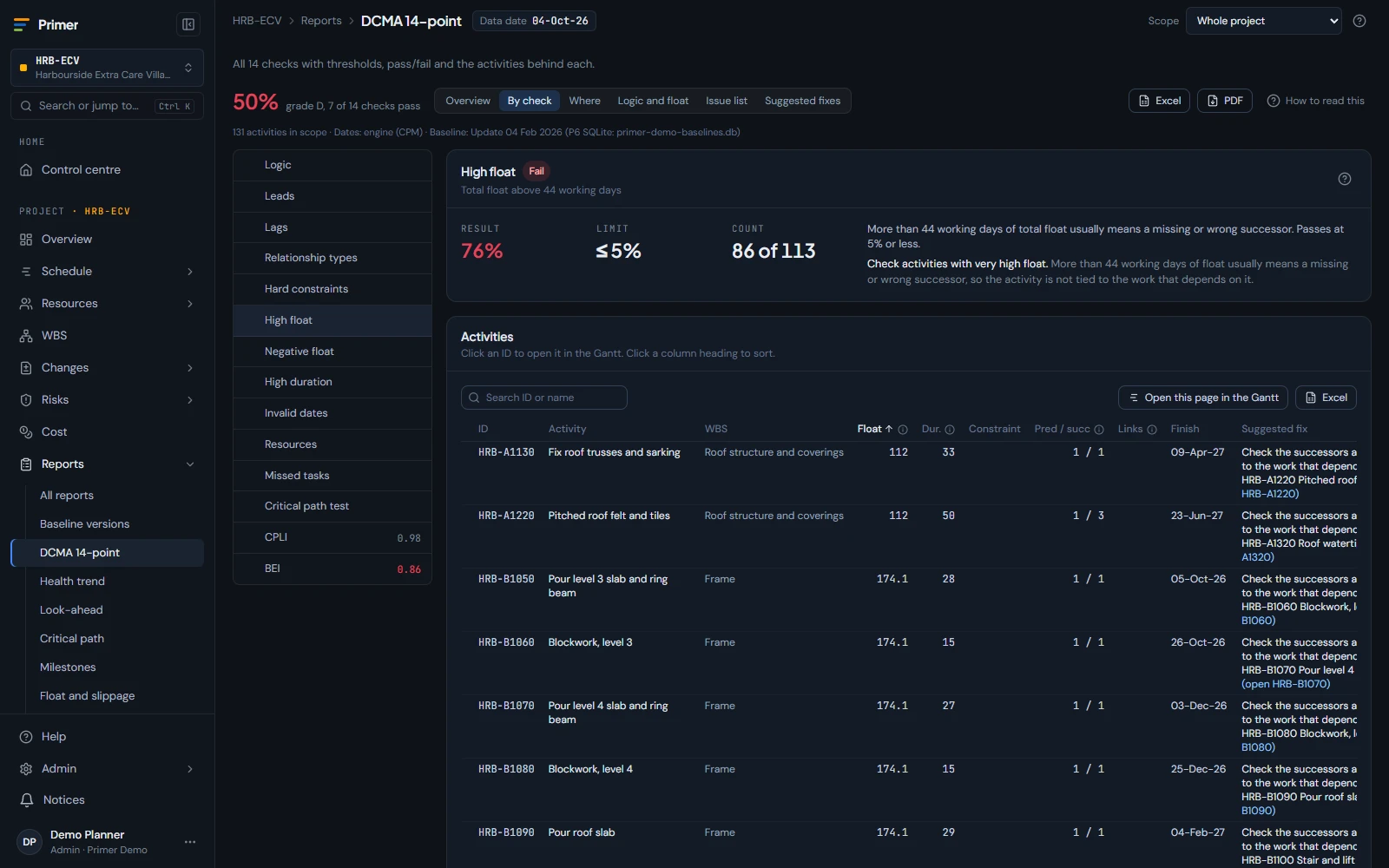
DCMA 14-point checks
A schedule quality dashboard with each check explained and the activities behind it.
-
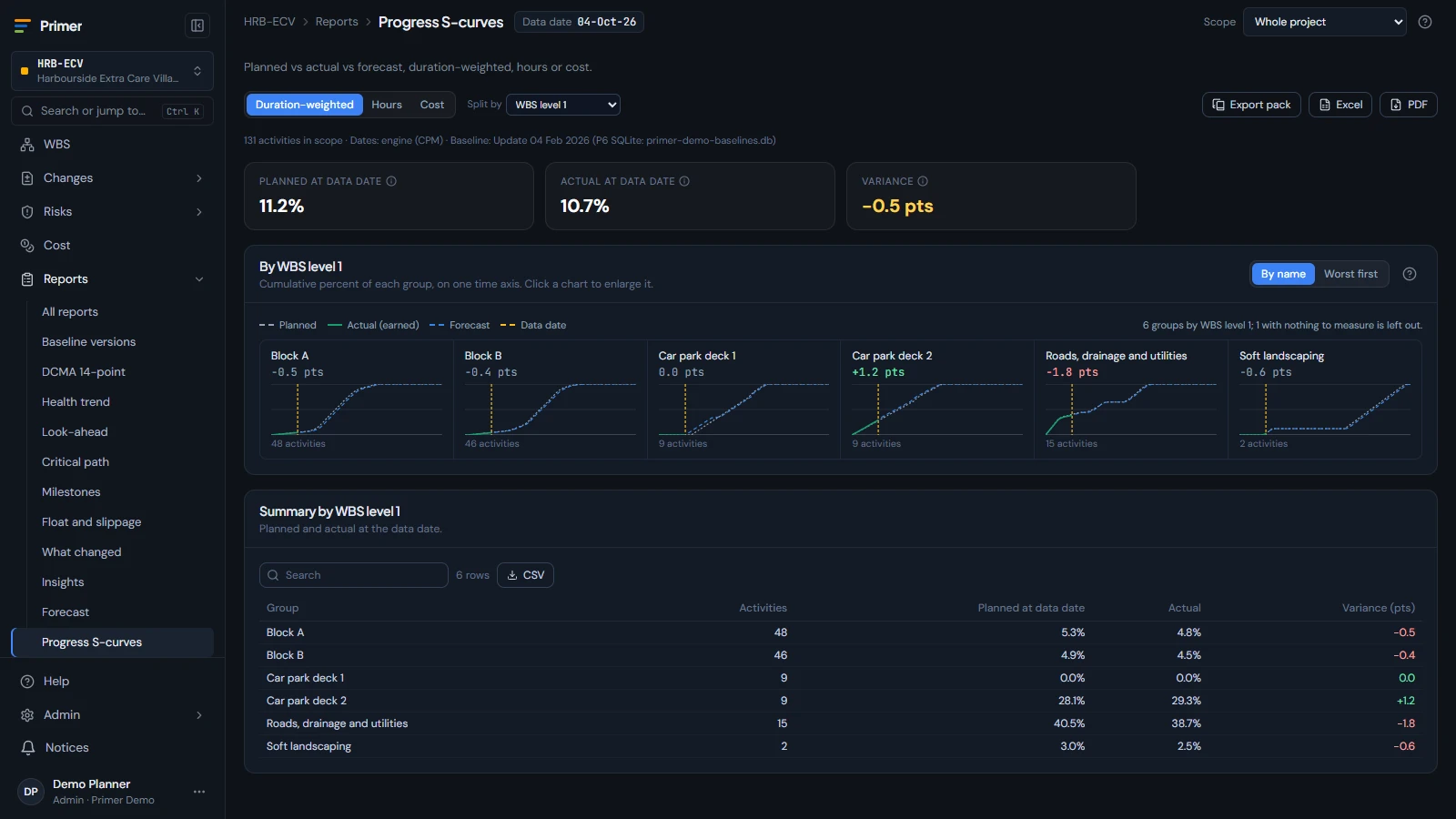
Progress S-curves
Planned against actual, split by WBS, activity code, resource or role.
-
Earned value and resources
Earned value and resource reports straight from the schedule.
-
Chart packs to PDF
Pick your charts once and produce the same pack every period.
One model
Works with the rest of Primer
Every part of Primer uses the same links from activity to portfolio, so nothing is entered twice and the numbers agree.
Every project on one roadmap, with funding and earned value across the portfolio.
Learn more Reporting and AIReport packs and AI answers that cite the data. Nothing saved without a person.
Learn more Data and integrationsFiles, P6 EPPM, P6 databases, Fabric and an import API.
Learn moreSee Primer on your own schedules
Book a demo and we will show Primer on Oracle's P6 demo data, or on a schedule you send us. Or start a free trial: one month for up to 5 users on the Control edition, no card needed.